As organizations scale their cloud-native infrastructure, the number of Kubernetes clusters grows exponentially. Managing these environments individually creates silos, making it difficult for Platform Engineers and DevOps teams to understand their fleet's overall health. Constantly switching between different cluster views to identify issues is inefficient and cumbersome, often leading to delayed mean time to detection (MTTD).
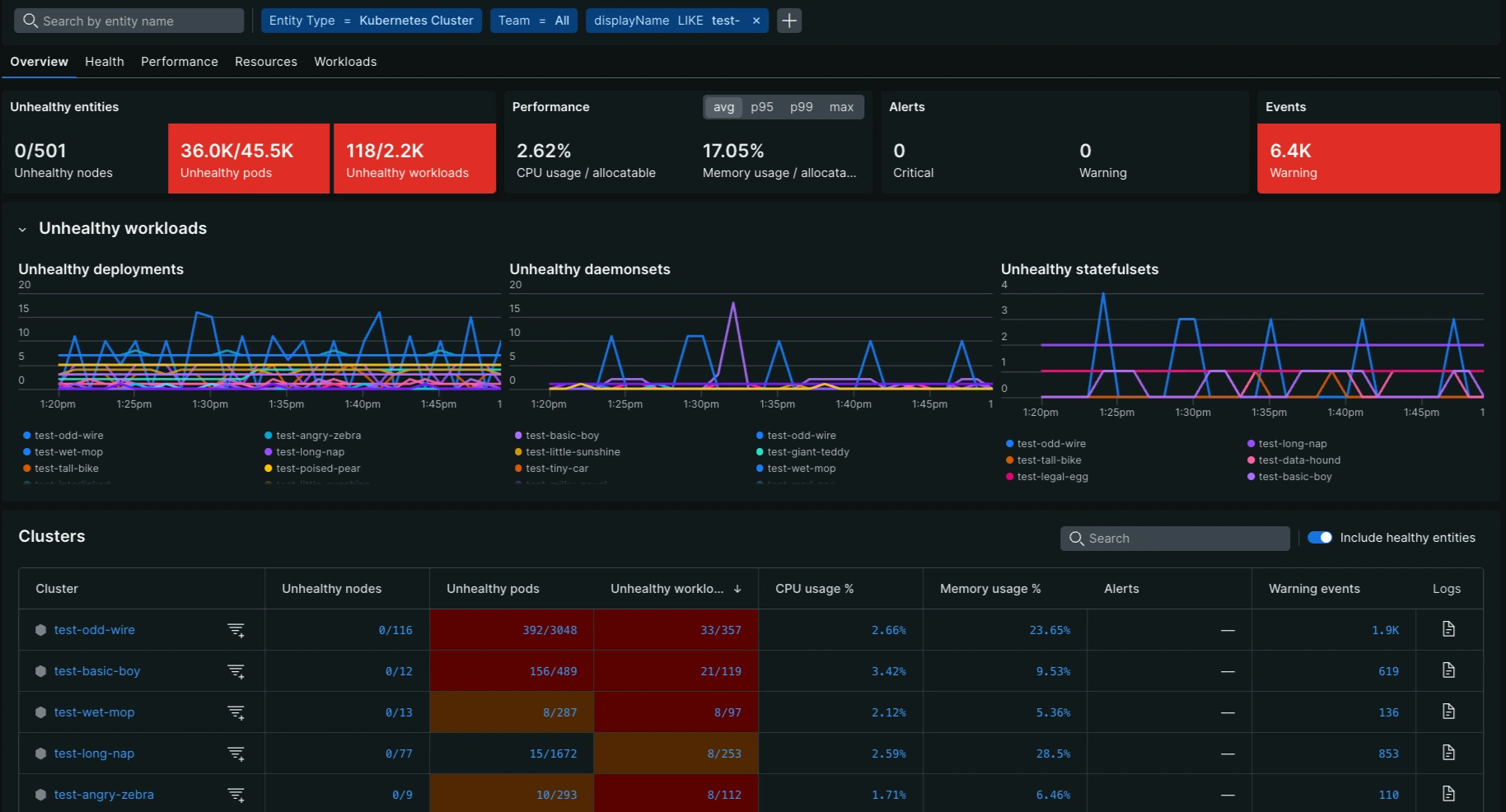
New Relic introduces the cross-cluster UI Public Preview to solve this fragmentation. This new experience delivers a centralized "single pane of glass" for your entire Kubernetes fleet, letting you visualize, filter, and compare cluster health in one place. By aggregating key metrics and status indicators, teams can identify cascading issues or regional outages instantly without navigating through multiple browser tabs.
Key features
-
Unified Fleet Visibility: View the health status and key metrics of all your Kubernetes clusters in a single, sortable list.
-
Global Filtering: Easily narrow down your view by filtering across all clusters using attributes like region, environment, or team labels.
-
At-a-glance Health Indicators: Instantly spot clusters with alerting conditions or resource bottlenecks using color-coded health statuses.
-
Seamless Drill-down: Navigate from the high-level fleet view directly into specific cluster dashboards for deep-dive troubleshooting with a single click.
This experience supports clusters monitored with the Kubernetes integration provided by New Relic and also our OpenTelemetry monitoring for Kubernetes.
Get started
To get started, navigate to the Kubernetes option in the main New Relic menu and click the "Try it out" button located in the top right.
Want to know more? Check out our docs.