Preview Feature
Security RX for Cloud is currently in preview. We're actively improving this feature and would love your feedback.
This feature is provided as part of a preview program pursuant to our pre-release policies and service specific terms.
Security RX Cloud provides a unified security and posture management solution to streamline the discovery, management, and remediation process for cloud security findings. By integrating with AWS Security Hub, you can automatically synchronize findings and reduce context switching between multiple security tools.
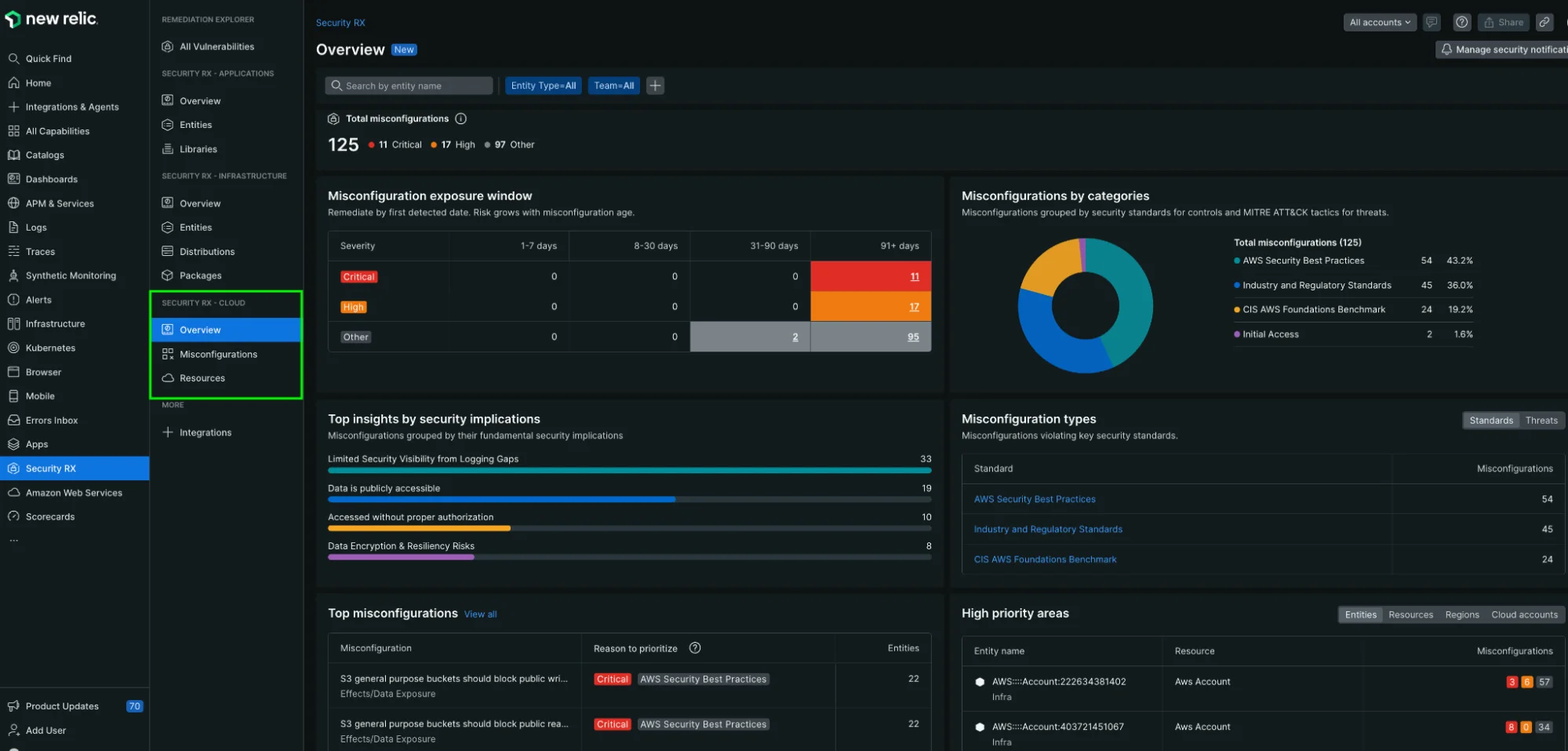
one.newrelic.com > All capabilities > Security RX > Cloud
With Security RX Cloud, you get:
- Unified security view: Aggregate findings from AWS Security Hub, including GuardDuty, Inspector, Config, and third-party CSPM tools
- Intelligent prioritization: Advanced risk scoring that considers severity, threat indicators, asset criticality, and public exposure
- Contextual remediation: Live configuration data alongside proposed fixes for clear understanding
- Auto-discovery integration: Automatic identification of all cloud resources with security enrichment
Why Security RX Cloud?
Cloud environments often generate hundreds or thousands of security findings, making it impossible to address everything at once. Security RX Cloud solves critical challenges:
- Reduce alert fatigue: Focus on the most critical security issues first with intelligent prioritization
- Eliminate context switching: View security findings alongside resource configuration in one platform
- Accelerate remediation: Access detailed remediation guidance for Console, CLI, and Infrastructure as Code workflows
- Improve security posture: Track trends and understand your cloud security over time
How Security RX Cloud works
Security RX Cloud leverages New Relic's core platform capabilities:
- Connect your AWS account: Set up polling integration with AWS Security Hub
- Enable auto-discovery: Automatically identify all cloud resources (EC2, S3, RDS, etc.)
- Security enrichment: Enhance entities with security findings from AWS Security Hub
- Prioritize and remediate: Use intelligent risk scoring to focus on critical issues
View security insights
As an engineer, you want to:
- Maintain healthy cloud infrastructure
- Identify the most urgent misconfigurations in your cloud environment
- Understand the risk each misconfiguration poses
- Access remediation guidance that fits your workflow (Console, CLI, or IaC)
To dive deeper into these use cases, see Manage cloud misconfigurations as an engineer.
As a member of a security team, you want to:
- Calculate the security surface area of your cloud environment
- Understand how cloud architecture affects business risk
- Track security posture trends over time
- Allocate remediation resources strategically
To dive deeper into these use cases, see Manage cloud security as a security team.
What's next?
Ready to start using Security RX Cloud? Follow these steps: