New Relic Observability for SAP - ABAP Hosted captures SAP telemetry data (Metrics, Events, Logs, and Traces) and sends it to the New Relic platform for analysis and visualization.
Central monitoring system vs. monitored systems
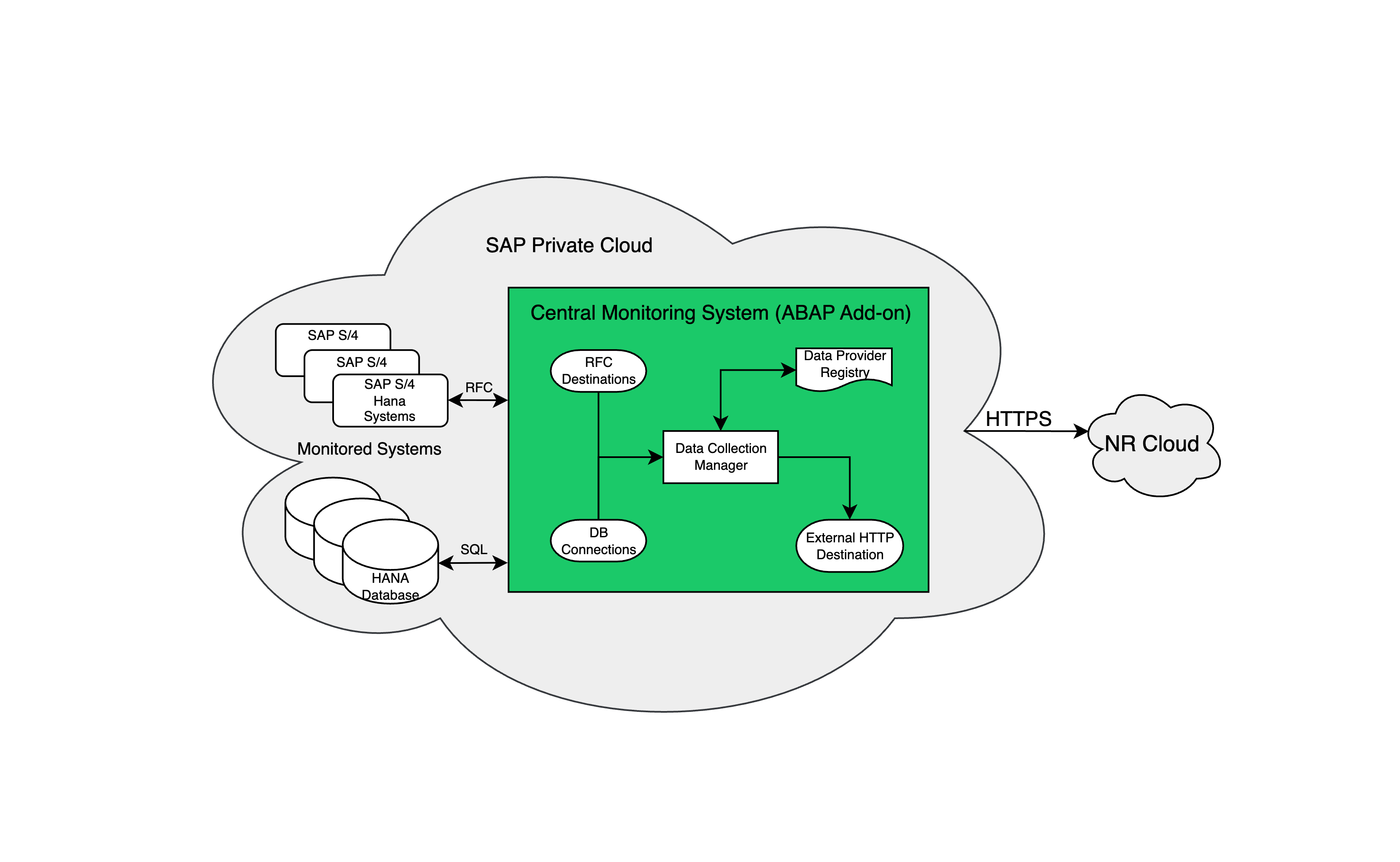
SAP systems that provide telemetry data are known as monitored systems. The central monitoring system is where NRM4SAP is installed—it collects, transforms, and transmits telemetry data. Typically, you install NRM4SAP on a single SAP system such as SAP Solution Manager (SolMan). NRM4SAP has no functional dependencies on SolMan—it serves only as a reference point here. NRM4SAP uses standard SAP data sources like ST-PI, MTE Classes (components within CCMS), and performance data from STAD/ST03N, so you don't need to install additional agents on monitored systems.
Starting with version 3.0, NRM4SAP only requires ABAP components, which are deployed exclusively on the central monitoring system.
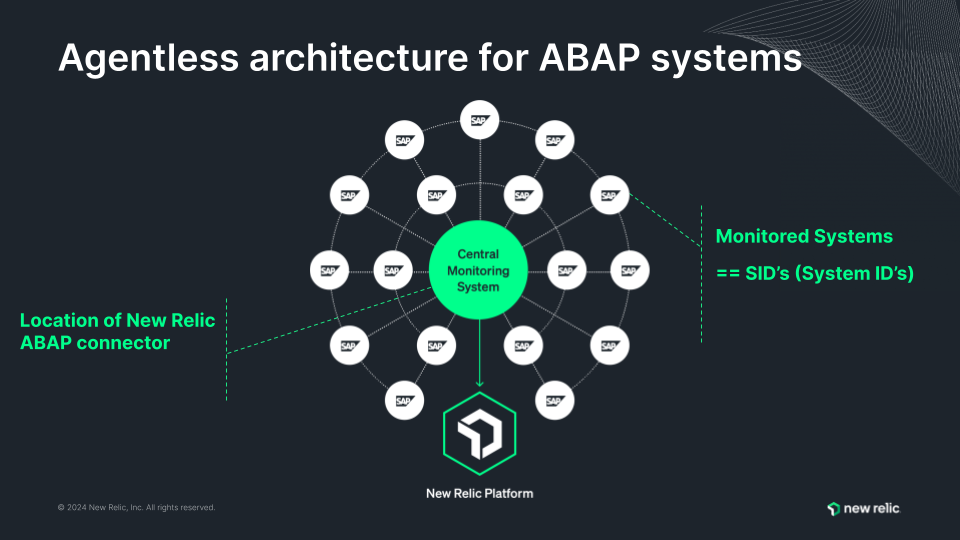
Data flow architecture
RFC calls pull SAP telemetry data into the central monitoring system. The ABAP Enterprise Connector processes the data and transmits it securely to New Relic via HTTPS.
What's included
After installation, you can use out-of-the-box dashboards and alerts:
Management visibility: View SAP system health and performance alongside other IT systems in centralized dashboards.
Custom monitoring: Tailor monitoring to specific business needs, such as tracking integration points in order processing workflows. Build custom dashboards and visualizations using collected telemetry data.
Proactive alerting: Set alerts to receive immediate notifications of service disruptions. This helps you maintain continuity and promptly address issues.
Next steps
Use these resources to get started:
- Prepare for installation: Review prerequisites and system requirements
- Install and configure: Get started with NRM4SAP installation