Log in to the BTP subaccount.
In the BTP cockpit, click Instances and Subscriptions.
Click Create at the top right.
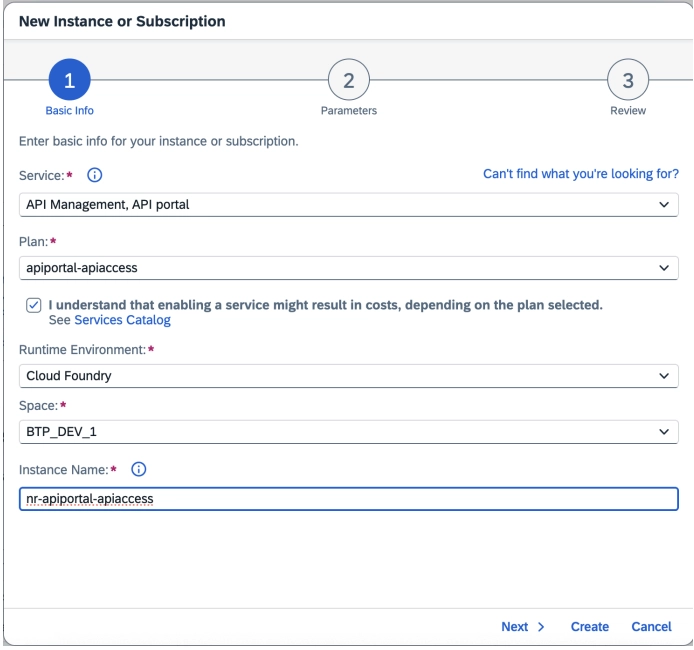
In the pop-up screen, select:
- Service: API Management, API Portal
- Plan: apiportal-apiaccess
- Select the cost disclaimer checkbox.
- Runtime Environment: Cloud Foundry
- Space: Check with your BTP administrator
- Instance Name: Follow your organization naming convention
Click Next, then select Roles:
APIPortal.Administrator.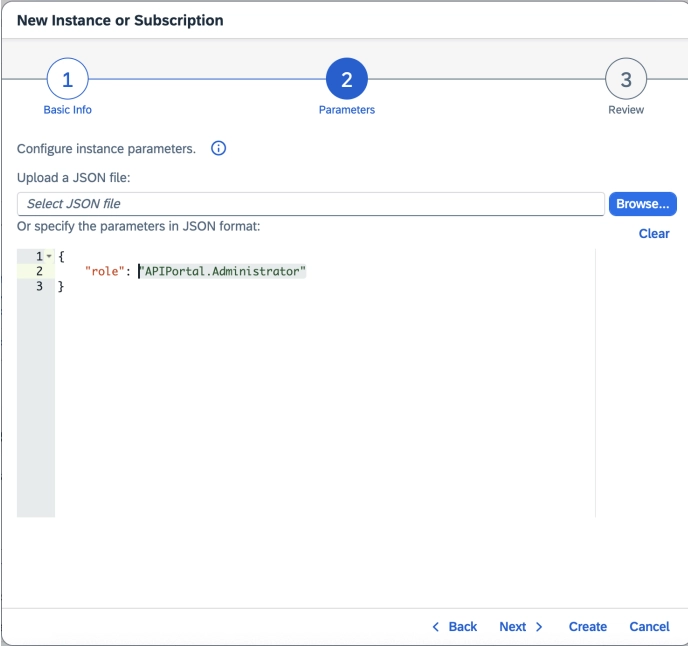
Click Next to review the details.
Click Create.
After you create the instance, locate the service under the Instances tab.
Click the ellipsis (
...) next to your instance, then click Create Service Key.Enter a Service Key Name and Credential Type:
binding-secretin JSON format.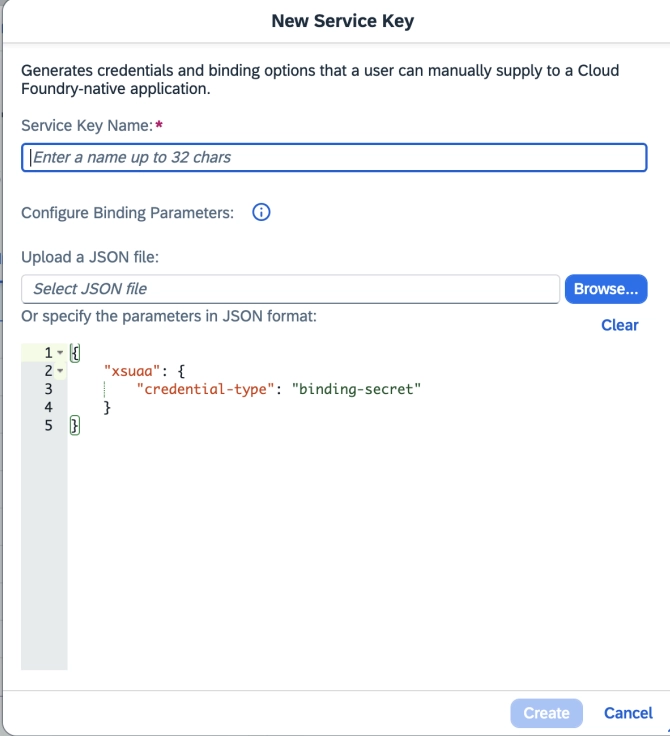
Click Create. Then click the ellipsis (
...) next to your service key and select Download.